Roster · free to write · $1 a day for the clock
Rostering, but not as you know it.
This roster has a feedback loop. You build the week's schedule, the roster goes to your people as a link. What happened on the shift comes back to you: who started and finished, who saw them, what the person on close wanted you to know. You don't have to be on site to know the state of things.
- Without: every new hire is another seat on the bill. With: free for up to 50 staff.
- Without: staff install an app and make an account. With: each person gets a link on their phone. Nothing to install.
- Without: a selfie or a kiosk to clock in. With: their link is their clock. They start and finish from it.
- Without: a tick-list of tasks. With: your own guidelines on the shift: what done looks like, and why it matters.
- Without: you find out what ran out when you open up. With: on the way out, whoever's in charge is asked what's running low or what there's too much of. A couple of taps, and it's waiting for you, most urgent first.
Setting up…
Rostering as you know it: you write it, send it, and hope for the best. Then you catch up in the group chat, scrolling back to find out what happened.
This roster has a feedback loop.
You build the week's schedule, the roster goes to your people as a link. What happened on the shift comes back to you. Both screens below are the real product, playing on its own.
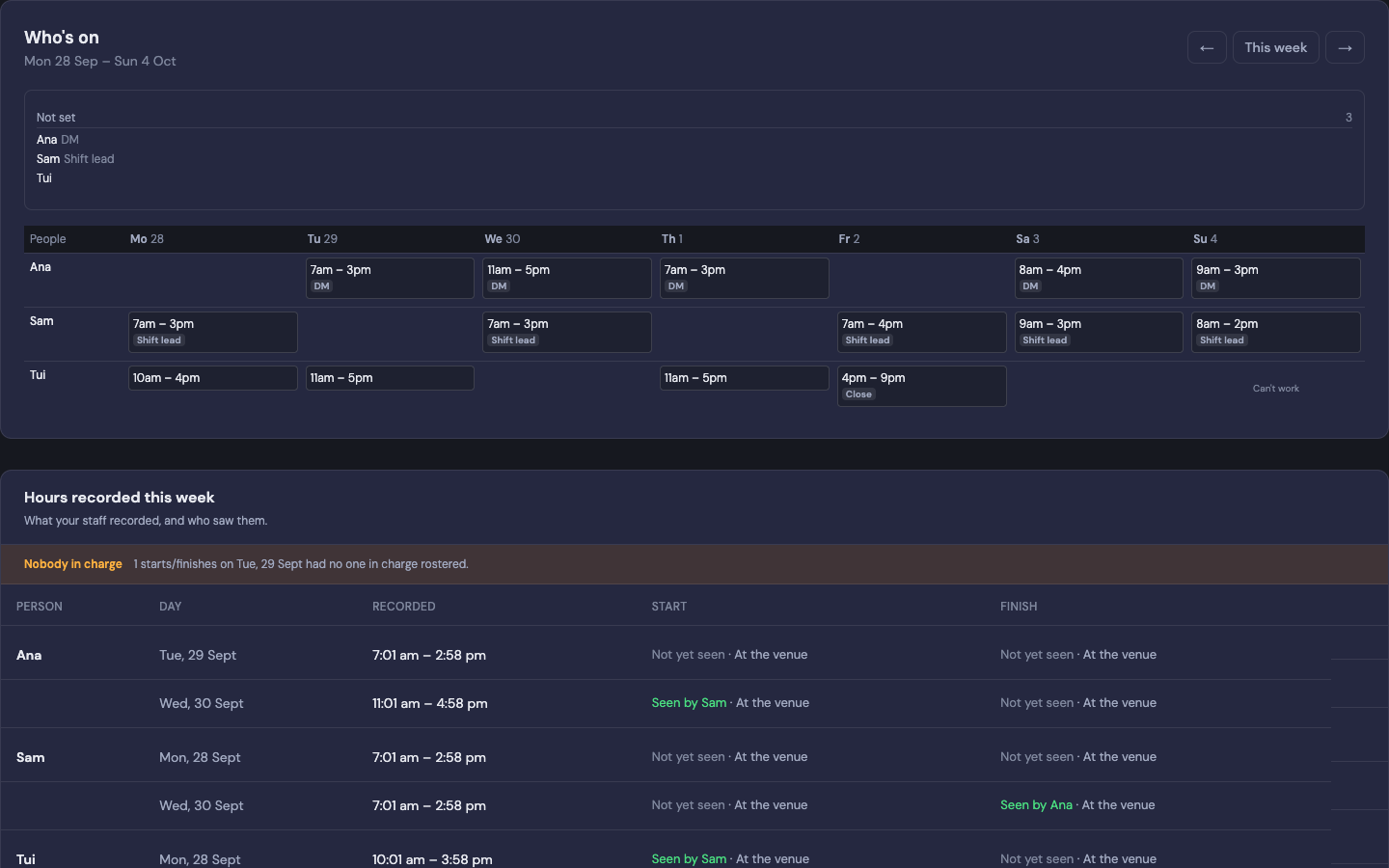


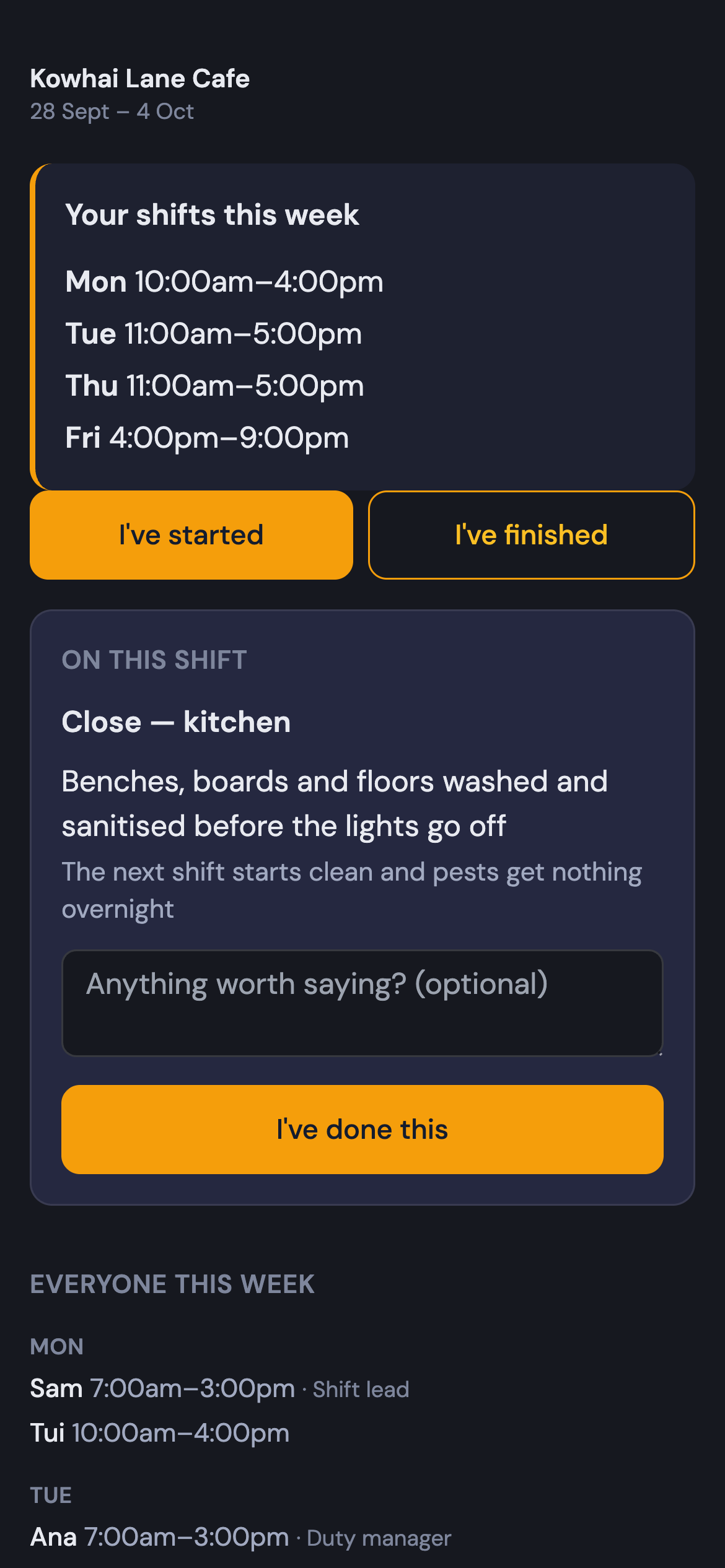
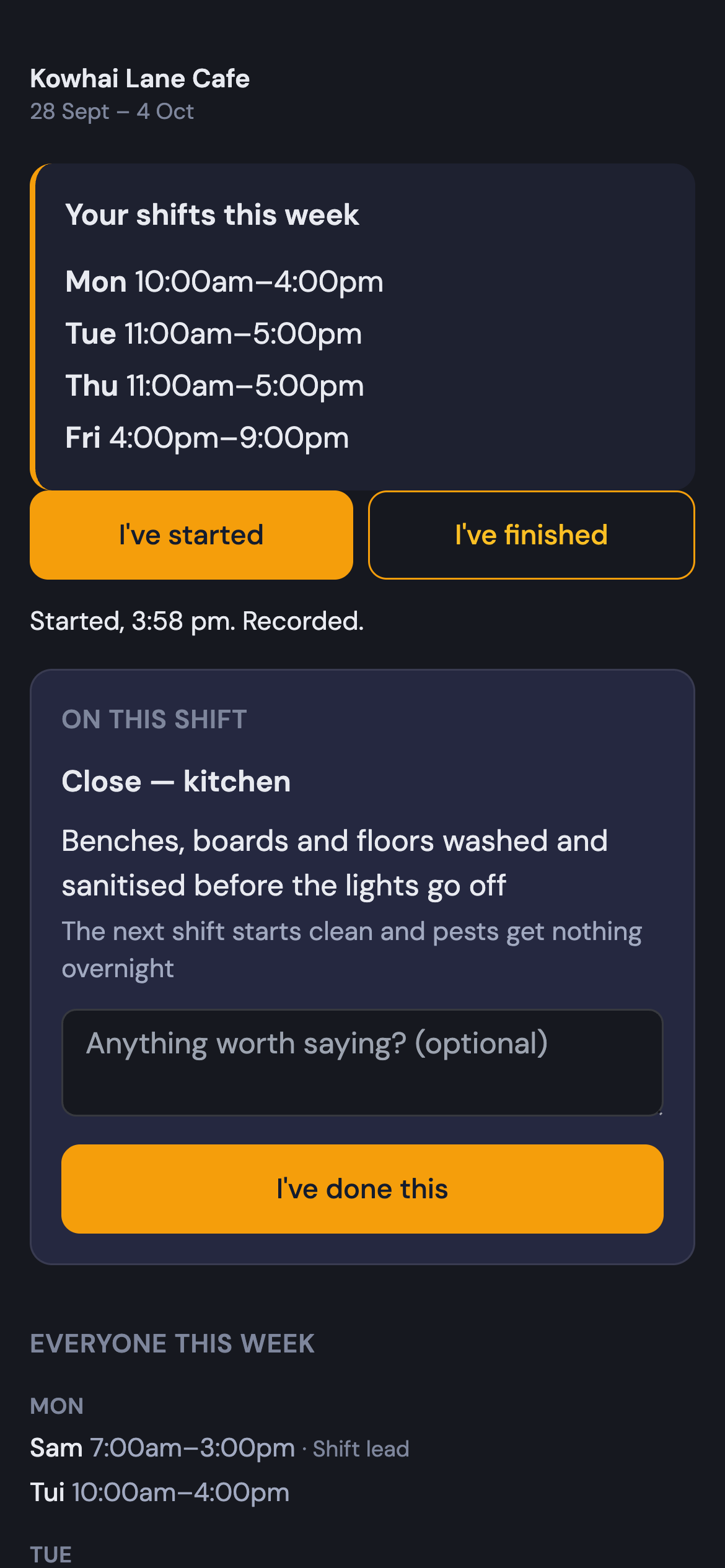
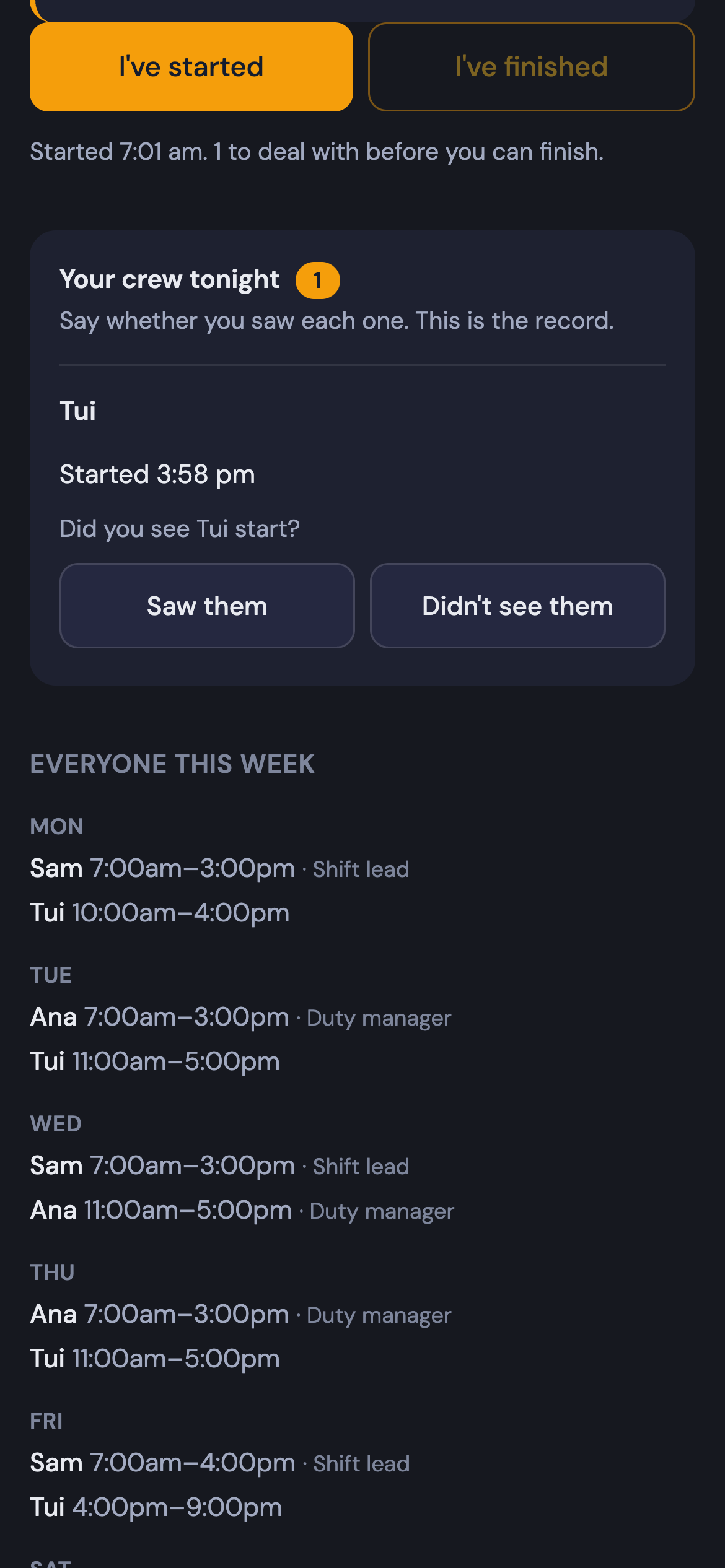
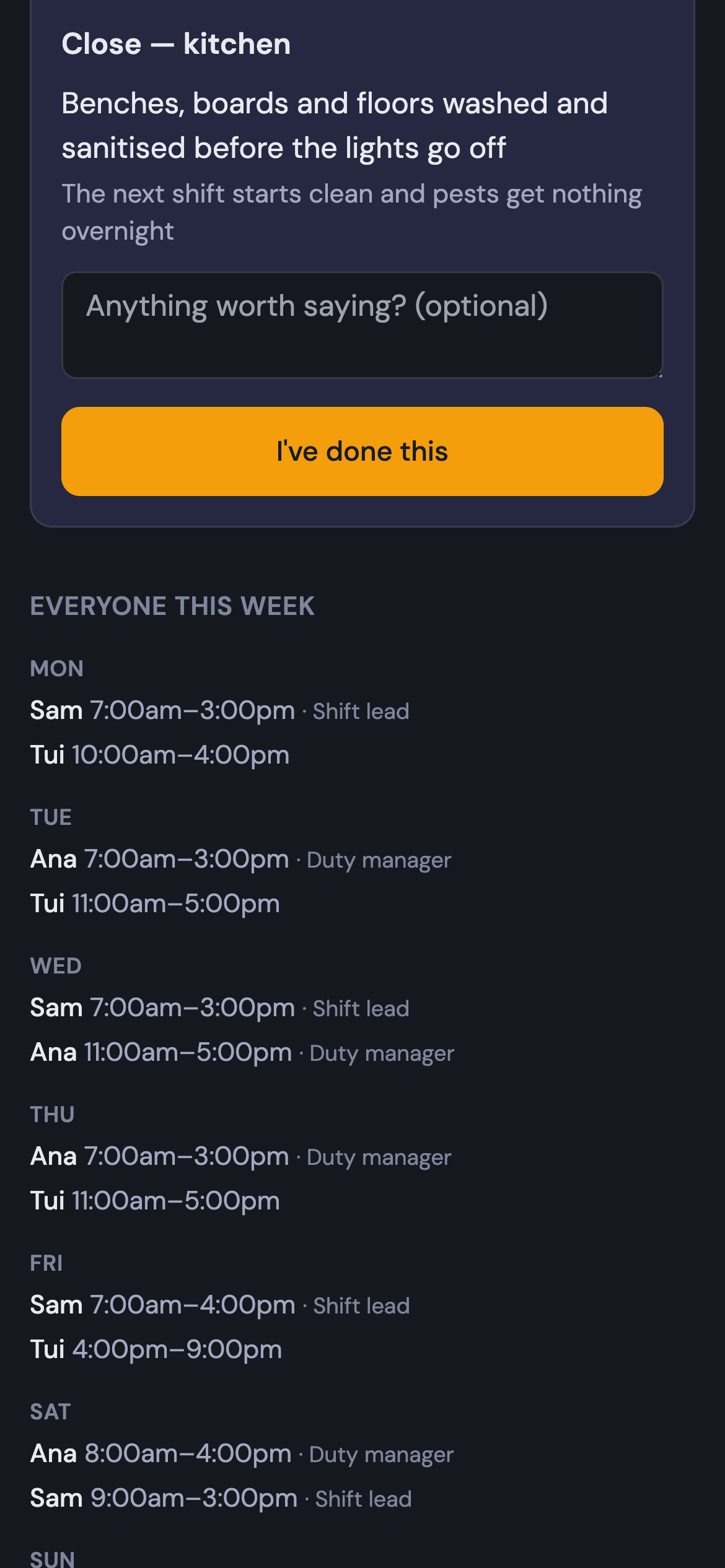
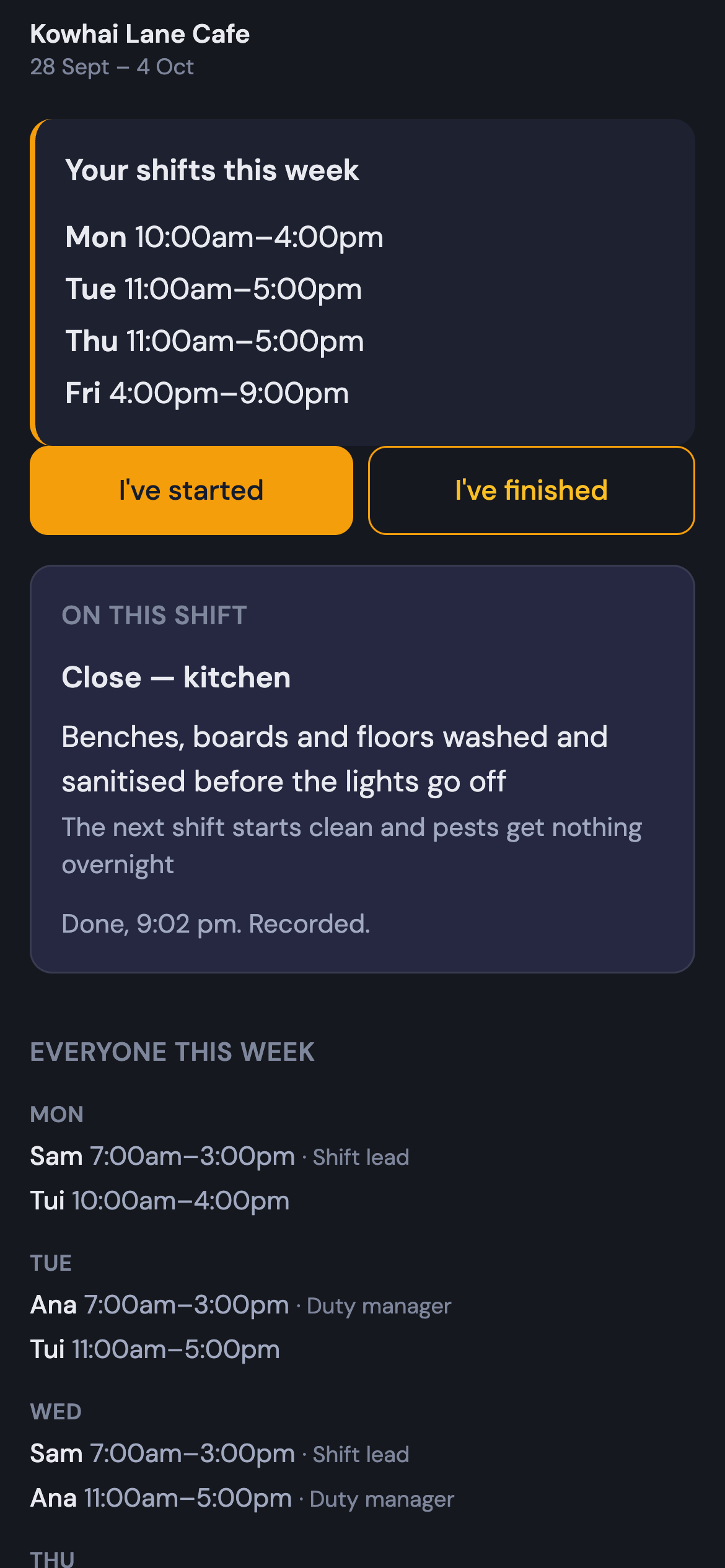
You write the week. Tui's on Friday, 4 till 9, with Close — kitchen on her shift.
Try it as your staff see it. Nothing here is saved.
On this shift
Close — kitchen
- Benches, boards and floors washed and sanitised before the lights go offThe next shift starts clean and pests get nothing overnight
How it works
1
Write the week
Type it: "Sam Friday 5–11". Mark who's in charge — your duty manager or a shift lead. Copy last week when nothing's changed.
2
Send it once
Everyone gets a link and their shifts in their calendar. Change a shift later and the calendar changes on its own — you don't have to remember to resend.
3
The night runs itself
Staff mark when they start and finish, from their link. Whoever's in charge says who they saw, and on the way out, what's running low. You see the record, correct anything, and download the file your payroll wants.
How does it compare with your existing rostering tool?
What's free, and what a dollar buys
Free, for as long as you like
$0
- The roster, up to 50 staff
- A link for everyone, shifts in their calendar
- Who's in charge, and whether they're certified to be
The clock
$1 a day · $30 a month
- Started and finished, from the link
- Whoever's in charge vouches for who they saw
- A stock check as they clock off: what's running low, what there's too much of
- The record, your corrections, the payroll file
- No photos. No tracking between start and finish. Ever.
On its own
Free for up to 50 staff.
Each person gets their shifts on their phone, and starts and finishes from the same link.
That's the job done.
It knows the rest of your business.
Your roster is joined up with your key dates and your hazard register, so it doesn't just say who's on. It puts what needs doing in front of whoever's on.
- A safety check due this week? Hand it to whoever's on with one tap. They check it and tell you if something's not right.
So staying on top of things takes less of your time.
Two lists together catch what one would miss. Ana's duty manager certificate runs out the Wednesday before a Saturday she's rostered on the door. Without the roster, you'd probably have found out on Saturday. With it, the shift gets flagged the moment you write the week, and Ana can sort the new date from her link.
See how they work together in one of our demo venues →